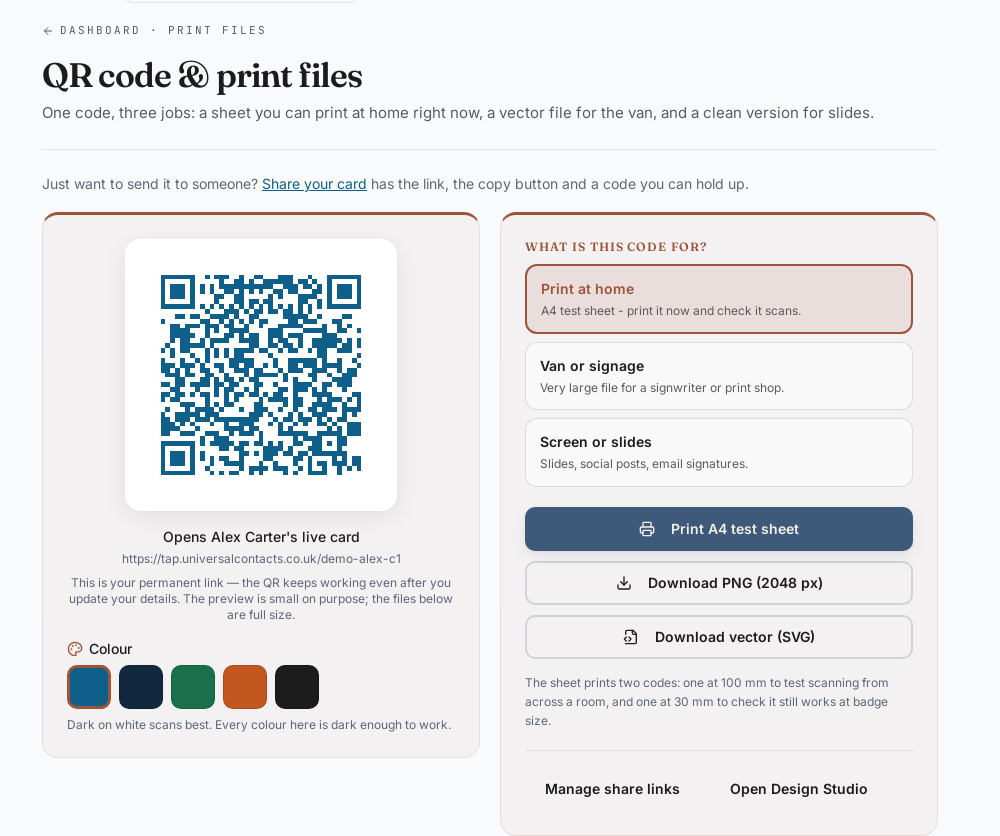
Print materials
Business cards, brochures, flyers, van decals. Your QR is static, the profile behind it stays live.
Your QR points at a live profile, not a static vCard. Print it on anything, update your details once and every QR you ever printed keeps pointing at the right number.

Product illustration
Business cards, brochures, flyers, van decals. Your QR is static, the profile behind it stays live.
Paste the QR into your Gmail or Outlook footer. Every email becomes a quiet handover.
Open the QR on your phone in a meeting. The other person scans, they have you.
Drop the link into LinkedIn, Instagram or WhatsApp. One profile, every channel underneath.
A QR code is read from roughly ten times its own width in decent light. A code 20 mm across is a card-in-the-hand code; a code you want read from across an aisle wants to be nearer 200 mm. That ratio is a working rule, not a promise, because light, print quality and the phone in the other person’s hand all move it.
One figure here is a measurement rather than a rule. The code is proven in print to scan from 400 mm on the 85.6 × 54 mm card — printed at full size and scanned, not calculated. We have not run the same test on the boards, banners and signs yet, so we quote the rule of thumb for those and say which it is.
Two things break a code more often than size does. The first is the quiet zone: the code needs clear space around it, and artwork crowding the edge stops it reading long before it looks wrong. The second is contrast — a dark code on a light background reads, the reverse often does not, and a code printed over a photograph usually does not. The Design Studio applies the quiet zone and the error-correction level for whatever size you pick, so you do not have to hold these numbers in your head.
And the thing a QR cannot do: it cannot change where it points once it is on a van. Ours does not need to. The code carries a link to your profile, and the profile is the thing that changes — so a new phone number is one edit, not a reprint. If you want it on paper, our QR code business cards carry the same live code, and the minimum QR code size post has the measured figures. Putting it on LinkedIn? LinkedIn QR code explains when to use LinkedIn’s own code and when to use yours.
Recipients tap or scan, your profile loads in the browser.
Standard profiles are free forever. Cards are one-off.
Change your number, role or address once. Every card follows.
Disable the old one or redirect it to a new profile in seconds.
A separate card for each profile — share only what you want on each one.
Designed and supported by Towpath Digital Ltd, registered in England and Wales.
A scan opens your live profile — and lets the person send their details straight back, so a QR on a quote or a window becomes a two-way lead.
Anyone viewing your card can send their name and number straight back — no app, no account. Connections land in your dashboard.
See it in action →Views, taps and connections per card with a 30-day activity view. Included free.
See it in action →Email signature, video-call background and Apple Wallet or Google Wallet pass, generated from your live card.
See it in action →