
no app needed
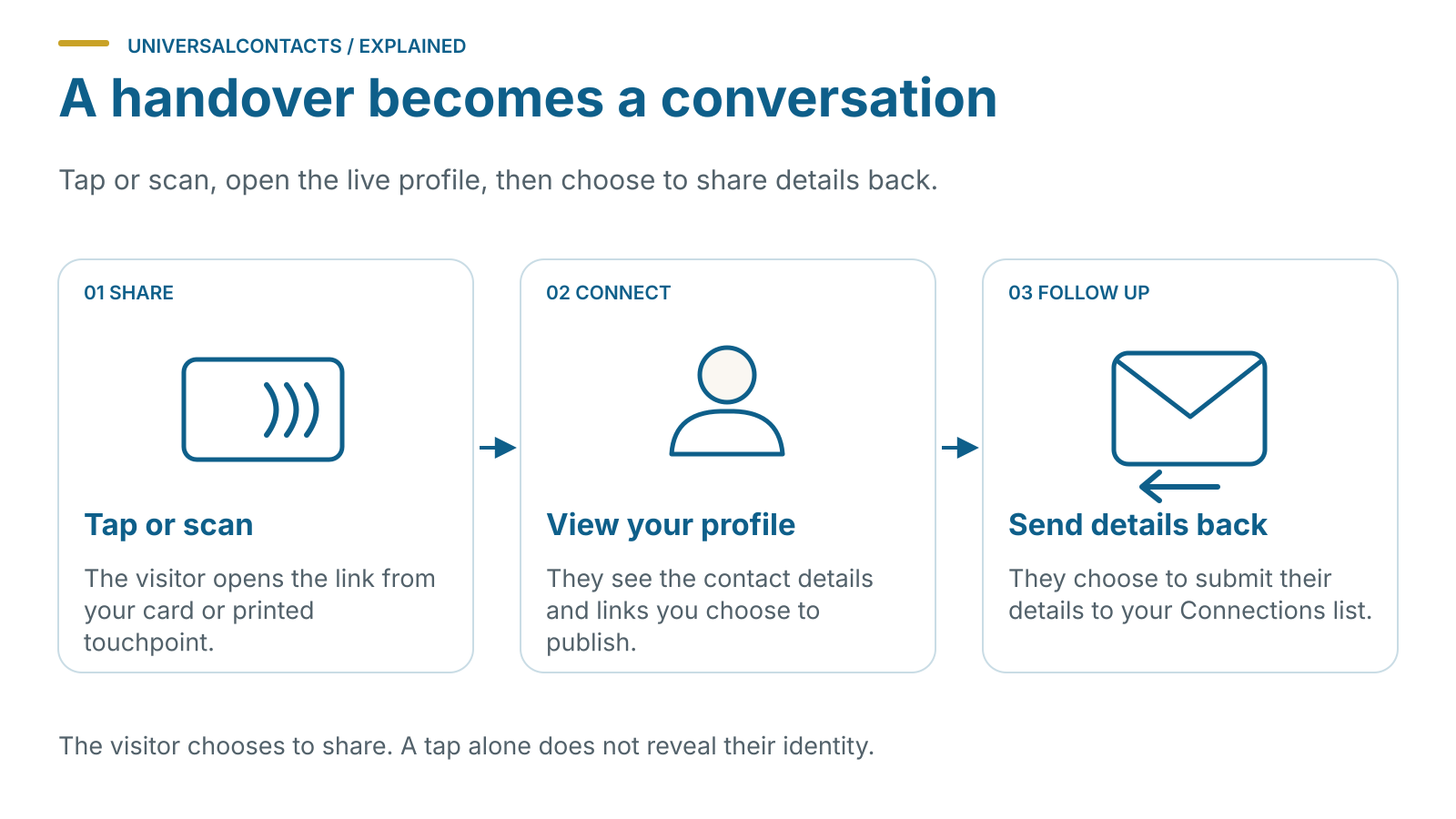
Recipients tap or scan, your profile loads in the browser.
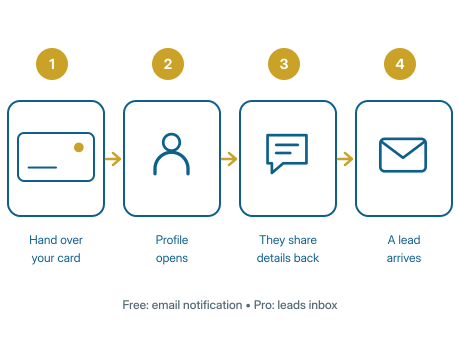
Four steps, and only the first one takes any effort. Build a profile, hand it over, let their details come back, and change your number once instead of telling everybody.
Cards from £24, paid once. The profile behind them is free forever, with or without a card.
More detail on any of it: how contact-back works, sharing by QR, what is in the card, what analytics shows you and why there is no subscription.
Two minutes in a browser, free, no app and no card required yet. Put on whatever you actually want people to reach you by — mobile, WhatsApp, the office line, your Google reviews, a booking link, a payment link. Leave off whatever you do not.
You now have a live profile, a QR code and a share link.
The QR goes on a quote, an email signature, a van decal, a table stand. The link goes in a WhatsApp message or a social bio. And if you want something to physically give someone, order a card — it arrives with the same profile already on it.
They tap the card or scan the QR. Your profile opens in their browser. Nothing to install.
At the bottom of your profile there is a button that says share your details back. They type their name and number, add a note about what they need, and send. No app, no account, no sign-up — which is exactly why people finish it.
The lead is in your dashboard and your inbox within seconds, tagged to the card that made it.
New number, new role, new company, moved premises. You change it in the browser and you are done. Every card you have ever handed out — including the one in a drawer from two years ago — points at the new details from that moment.
This is the bit a plain paper card cannot do, and it is the reason the card is worth having.
This is the renderer that draws the real cards, the Design Studio and the print files — not a picture of one. Nothing is saved and nothing is sent.
Drawn as you type, at the size it is printed. The QR goes on the back.
Card now reads Your name
Nothing here is a feature list. It is just the day.
You hand over the card. She taps it — no app, nothing to install — and your number, WhatsApp and Google reviews are on her phone before you have got the tape measure out.
One button on your card: share your details back. Name, number, a note saying “quote for the kitchen, wants it before Christmas”. It is in your phone before you have left the drive.
Two cards in the van, one on the dash. Analytics tells you the dash one is doing the work. Free, no upgrade prompt.
A week later the name alone would mean nothing. The note is still attached, so you ring her about the kitchen, not about “hi, we met”.
You change it once, in the browser. Every card you have ever handed out — including hers, in the kitchen drawer — points at the new one from that moment.
Most digital business cards are built for conference badges and sales teams. Useful, if that is your week. It is not most people’s week.
Ours is built for the electrician who gets rung at half seven, the marina office that takes berth-holder calls all summer, the mobile hairdresser whose whole diary is rebookings, the sole trader who quotes on a driveway. You are not collecting business cards at an expo. You are handing your number to someone standing in front of you and hoping they still have it in March.
That is the job: make the number impossible to lose, make it easy for them to send theirs back, and make sure that when the number changes, nobody has to be told.
Every card carries a printed QR as well as the chip. They point the camera at it and the same profile opens. Older phones, work phones, a locked-down site phone — all fine. Nothing to install either way.
No. Your profile opens in whatever browser is already on their phone. This is the single biggest reason people actually finish sending their details back — there is nothing standing in the way.
You change it once in the browser and every card you have ever handed out points at the new one from that moment. The card in someone's van from two years ago still works. That is the whole point of the thing.
Disable it from your dashboard and it stops resolving immediately, or point it at a different profile instead. You can also run a separate profile — its own card, QR and link — so the card you hand to strangers never carried your home address in the first place.
Recipients tap or scan, your profile loads in the browser.
Standard profiles are free forever. Cards are one-off.
Change your number, role or address once. Every card follows.
Disable the old one or redirect it to a new profile in seconds.
A separate card for each profile — share only what you want on each one.
Designed and supported by Towpath Digital Ltd, registered in England and Wales.
One profile behind all of it. A card in your hand, a code on the paper cards you already give out, a stand on a counter, a board at the door — each with its own code, its own history, pointing wherever you send it.
Personal and mobile. One person, handed over.
Countertop, exhibition and reception. Sits where people already are.
Signage for events, shops, venues and public spaces.
Every one in a run can carry its own code, at no extra cost — twenty boards is twenty places to be found, not twenty copies.