
Do NFC cards work without NFC? Tap, scan, and the phones in between
The question behind the question is usually “will this be embarrassing when I hand it to somebody?”. It will not, and here is exactly why.
Almost everybody buying their first NFC card asks some version of this, and it is a sensible thing to ask. You are about to hand an object to a customer and find out in front of them whether it works. Nobody wants to be the person tapping a card against a phone four times while somebody waits politely.
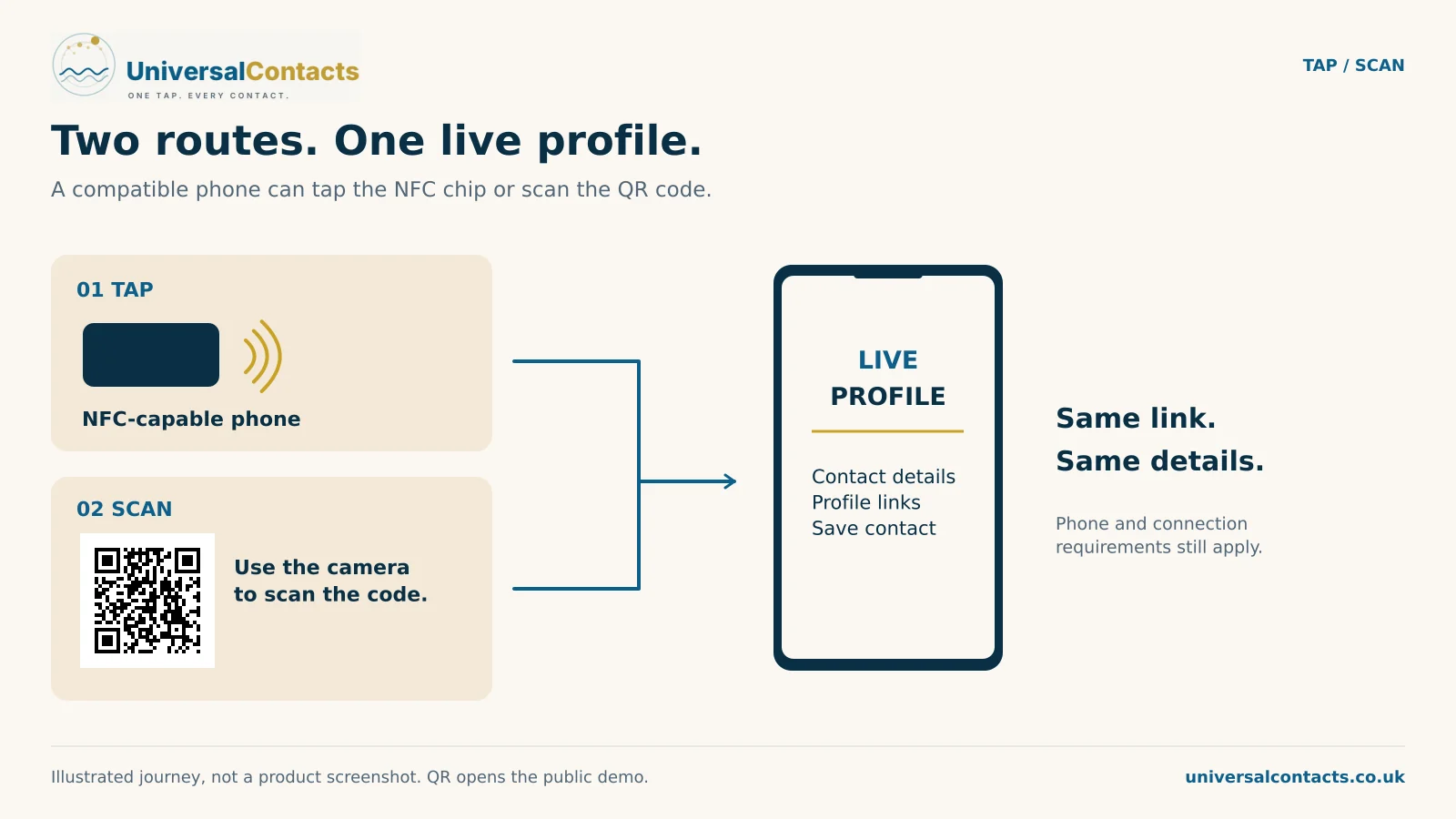
So here is the whole answer up front. Every card we make carries a printed QR code as well as the chip, and both go to exactly the same place. If the phone taps, it taps. If it does not, the camera reads the code. There is no phone you will meet in ordinary life where neither works.
Which phones tap
Effectively all current ones, and the detail is less interesting than people expect.
- iPhone — every model from the iPhone XR and XS onward reads an NFC card in the background with no app and nothing to switch on. Hold the top edge of the phone near the card with the screen awake and a notification appears.
- iPhone 7 and 8 — these have NFC but only read a tag from inside an app or the Control Centre reader, so in practice treat them as scan-only.
- Android — mainstream handsets from roughly 2017 onward read tags natively. The middle of the back of the phone is usually the spot rather than the top.
- The exceptions — some budget Androids never had NFC hardware, and plenty of work phones have it switched off by an employer. Neither is rare enough to ignore.
You are never going to know which of these you are holding a card out to, which is precisely the point of the next section.
Why the QR is not a consolation prize
It is tempting to think of the printed code as the fallback for old phones. In practice it is closer to half the traffic, for reasons that have nothing to do with hardware.
People reach for what they already understand. Most adults in the UK have scanned a menu in a pub; far fewer have deliberately tapped anything other than a payment terminal. So when you hold a card out, a decent share of people will point the camera at it without ever trying the chip — and that is fine, because it is the same destination either way.
The QR also wins in the situations where tapping is awkward: a stand across a counter, a sign on a wall, a card on a table somebody would have to lean over. You cannot tap something at arm’s length, but you can photograph it from where you are standing.
What the other person has to do
Nothing, and this is the part that actually decides whether these things work. There is no app to install, no account to create, and no permission screen between the tap and your phone number. Your profile is an ordinary web page; it opens in whatever browser is already on their phone.
Every step you add to a hand-over loses some of the people you just met. A card that required an app would lose nearly all of them, which is why the ones that do require an app mostly do not get used twice.
The awkward moment, and how to avoid it
If you want the hand-over to go smoothly every time, do not say “tap this”. Say “there is a code on the back if you want to scan it” and hold the card out. You have then offered both without appearing to troubleshoot, and the other person picks whichever they already know how to do.
Two smaller things worth knowing. A thick case does not usually stop a tap, but a metal case or a card wallet sandwiched between the phone and the card can. And on Android the reading spot is generally the middle of the back, not the top, which is the single most common reason a tap seems not to work when the phone is perfectly capable.
Does the card need a battery, or charging, or a signal?
The card needs none of those. The chip has no power source — it borrows a tiny amount from the phone’s radio field for the instant it is read, which is the same trick a contactless bank card uses. There is nothing to charge and nothing to go flat in a drawer for two years.
The phone does need a data connection to open the page afterwards, exactly as it would for any web address. If somebody is standing in a basement with no signal, the tap still works and the page loads when they come back up.
So: do they work without NFC?
Yes. A card with a printed code on it is not really an NFC card with a backup — it is a card with two doors to the same room, and the person you hand it to picks one without thinking about it. The chip is the faster door. The code is the one that always opens.
If you want the detail on what is behind that door and why it keeps working when your details change, what happens when you change your number covers it, and QR code sharing covers the scanning side on its own. The card range and prices are on one page.